KAG Field Staff
The app for our relocation field staff — accept job offers, run your schedule, chat with customers and the office, and track your earnings.
What you can do
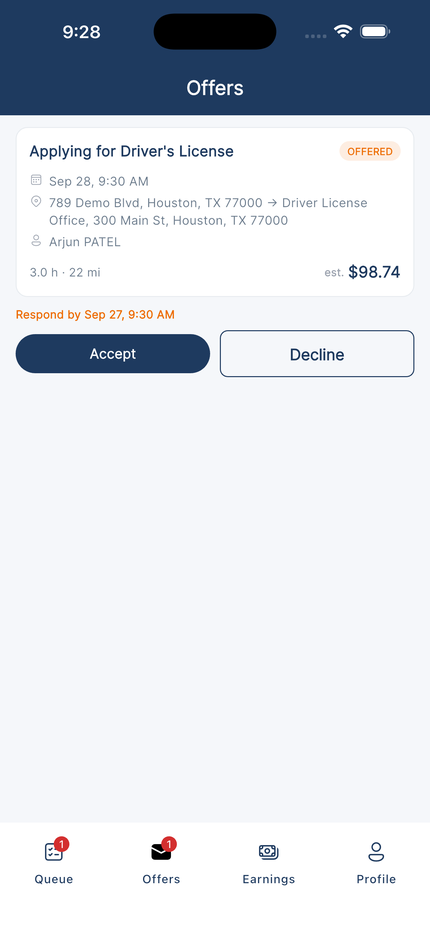
Job Offers
See each offered job with the service, date and time, route, hours, miles, and estimated pay. Accept or decline before the response deadline.
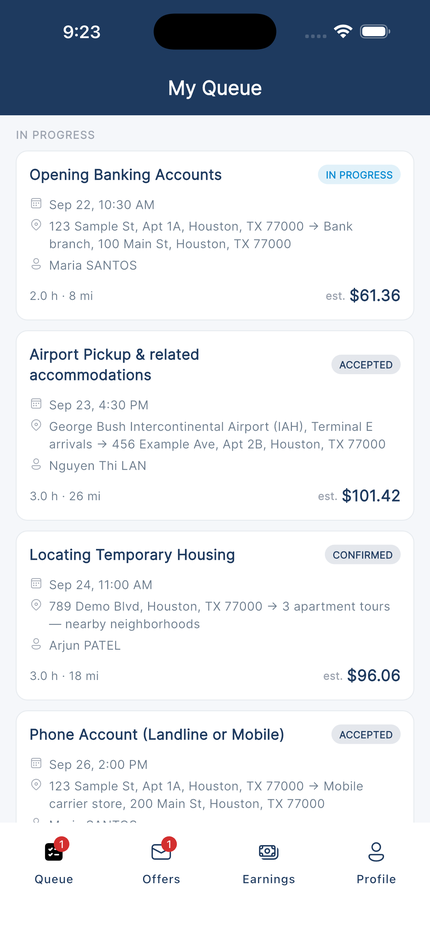
My Queue
Your upcoming and in-progress jobs in one list, with the customer, From and To addresses, round trip or one-way, and directions in Maps.
Job Chat
Message the customer and the office for each job, and send a photo when you arrive.
Complete, Extra Time & Expenses
Mark a job complete when you finish. If it took longer, request extra time, and add job expenses such as tolls and parking for the office to review.
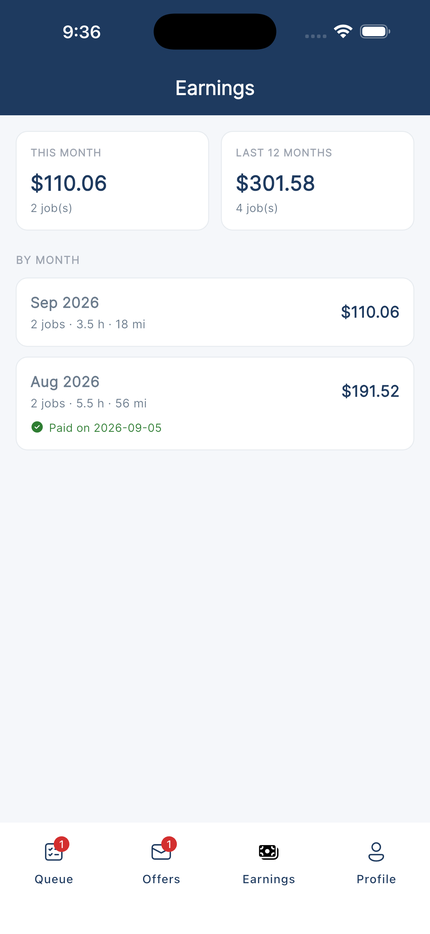
Earnings
Monthly totals with hours, miles, extra time, and expenses, and the date each month was paid.
Days Off & Notifications
Set your days off so the office does not schedule you on those days. Get a push notification when a new offer arrives.
Screenshots
Watch: How the app works
A 5-minute walkthrough — taking an offer, running a job, chatting, completing it, and checking your earnings.
Scan to Download
iPhone

Android

Login Information
Sign in with the email and password of your field staff account. Our office creates the account and sends you the details.
Forgot your password? Tap Forgot password? on the sign-in screen and reset it in the app with the code we email you.
Exclusively for Kennedy Access Group relocation field staff. You must have an account created by our office to sign in.
FAQ
Questions or issues?
For questions about jobs, schedules, pay, or the app, email the Relocation team at relocation@kennedyaccess.com.